

A scoped API key is a credential that grants access to only the specific warehouse site, tenant account, or set of actions an integration actually needs, instead of handing over full read and write access to everything in the system. In a multi-tenant WMS like Shipider, where a single account can span several warehouse sites or, for a 3PL, several separate customer inventories, scoping matters because an unscoped key is effectively a master key. It can read or write data that has nothing to do with the integration you built it for.
This article is a deeper look at one specific practice inside a bigger topic. If you want the full picture of how Shipider connects to the rest of your stack through webhooks and the API, start with wiring your warehouse into your stack with webhooks and the API. This piece is for the developer or technical operations lead who already knows they need an integration and wants to build it without creating a security hole.
Why unscoped API keys are a warehouse-specific risk
In most software categories, an overly broad API key is a bad practice you can quietly fix later. In a warehouse system it is riskier, because the data behind that key is not abstract. It is stock counts, pallet locations, order status, and for 3PLs, the inventory of customers who are not even aware the integration exists.
Think about what a single API key typically touches in a WMS: inbound receiving events, putaway confirmations, pick and pack instructions, dispatch records, and inventory levels across every warehouse location tied to the account. If that key leaks, whether through a committed config file, a compromised laptop, or a careless third-party app, the blast radius is every site and every customer the key can reach. For a 3PL running several brands under one roof, that is not a hypothetical. It is the difference between one client's shipment data being exposed and every client's data being exposed at once.
Scoping is the practical answer. It does not prevent every incident, but it shrinks what any single leaked credential can actually do.
What scoping looks like inside a multi-tenant warehouse system
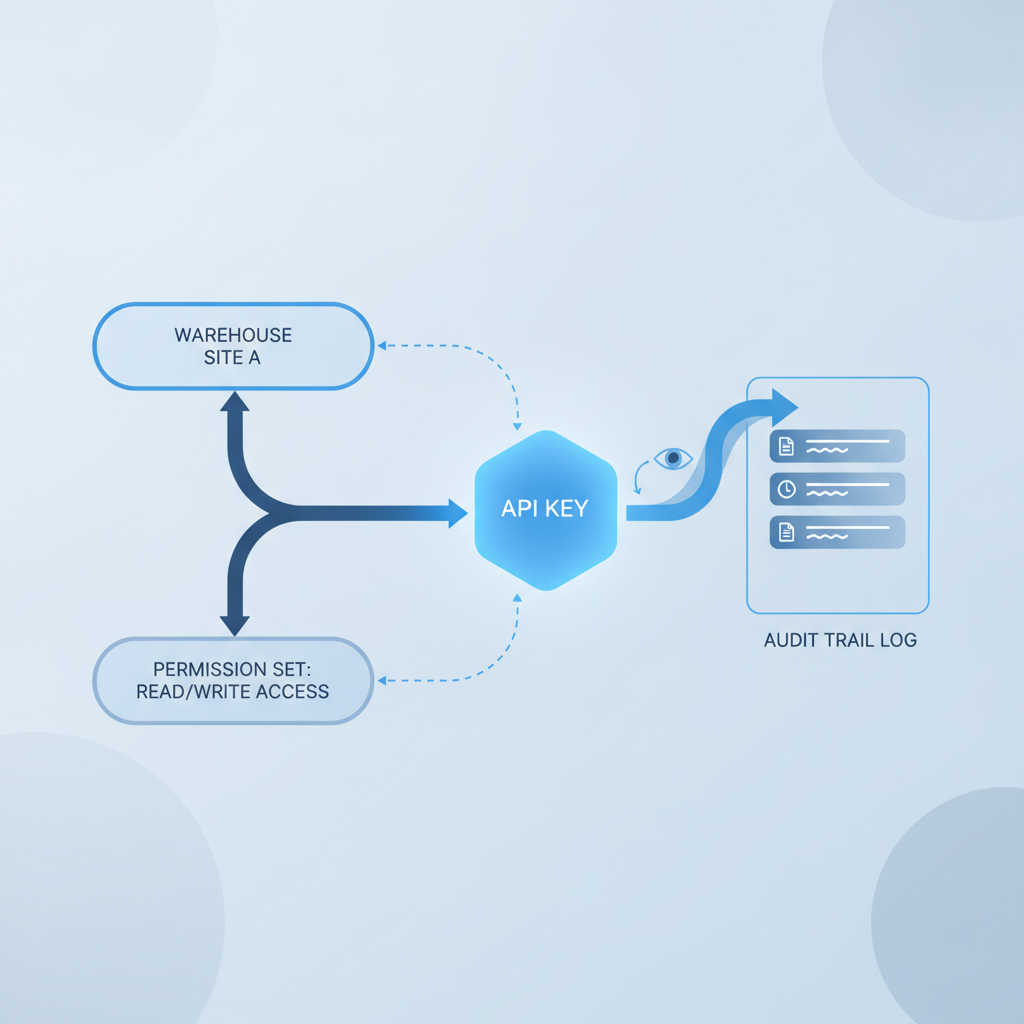
Scoping a key generally means answering three questions before you generate it: which site or sites can this key touch, which tenant or customer account does it belong to, and which actions (read, write, or both) does it need. A key built for a reporting dashboard should probably be read-only. A key built to push order status back into your ERP needs write access, but only to order and dispatch records, not to warehouse location setup or user management.
Site-level scoping
If your operation runs multiple warehouse sites through Shipider's multi-site inventory, an API key generated for a specific site's outbound integration should not be able to query stock at a different site across town. Site-level scoping keeps an integration's failure contained to the site it was built for.
Read versus write scopes
Not every integration needs to write data back into the warehouse. A business intelligence tool pulling inventory accuracy numbers, for example, only needs read access. A purchase order automation tool that creates receiving records needs write access, but arguably only to receiving and putaway, not to order dispatch. Separating read and write scopes means a compromised reporting integration cannot suddenly start creating or altering warehouse records.
Tenant isolation for 3PLs
Shipider's structural multi-tenant isolation is built specifically for 3PLs managing many customers under one roof. That isolation should extend to API access. A scoped key tied to one client account should not be able to reach another client's inventory, even if both clients happen to share a physical warehouse. If you are building a client-facing integration, such as a customer portal that shows their own stock levels, the API key behind it should be scoped tightly enough that a bug in that portal cannot become a data leak for every other tenant.
| Scope type | What it typically grants | Example integration |
|---|---|---|
| Read-only, single site | View inventory, orders, and locations for one warehouse site | A BI dashboard pulling stock levels for one location |
| Read-write, receiving only | Create and update receiving and putaway records | Purchase order automation pushing expected inbound shipments |
| Read-write, orders and dispatch | Create orders, update status, confirm dispatch | ERP or e-commerce platform syncing order fulfillment status |
| Tenant-scoped, single client | Access limited to one customer account inside a multi-tenant setup | 3PL client portal showing that client's own inventory only |
| Full account access | Every site, every tenant, every action | Rarely appropriate; reserved for internal admin tooling only |
[NEEDS VERIFICATION: confirm the exact scope options, permission granularity, and key management UI currently available in Shipider's API key settings]
Scoped keys and the audit trail work together
One thing that sets a scoped key apart from a simple username-and-password integration is that every action it takes still runs through Shipider's real audit trail. That means if a scoped key creates a receiving record, updates a pallet location, or confirms dispatch, that action is logged the same way a human action would be, tied to the identity of the integration that made it.
This pairing matters more than it sounds. Scoping limits what a key can do. The audit trail tells you what it actually did. If something goes wrong, whether it is a bug in a third-party integration or a genuine security incident, you are not guessing which records changed. You can trace the event back to the specific key, the specific action, and the specific timestamp. That is a meaningfully different position than trying to reconstruct what happened from application logs scattered across two or three disconnected systems.
A practical checklist before you generate a key
Before wiring up any new integration, it helps to walk through a short list rather than defaulting to the broadest access available out of convenience.
- Identify exactly which warehouse site or sites the integration needs to touch, and scope the key to those only.
- Decide whether the integration truly needs write access, or whether read-only will do the job.
- If you run a multi-tenant setup, confirm the key is bound to a single tenant account rather than the whole organization.
- Name the key something specific to its purpose (for example, "erp-sync-write-orders") so it is identifiable months later when someone is auditing access.
- Set a reminder to rotate or review the key on a schedule, not just when something breaks.
- Revoke keys the moment an integration is retired. An orphaned key with live access is a liability nobody is watching.
Common integration patterns that need scoped keys
A few integration types come up repeatedly for warehouses connecting to Shipider, and each has a natural scope.
ERP sync is one of the most common. As covered in ERP sync without double entry, the goal is usually to push order and inventory events one direction and pull confirmations back, without duplicate data entry. That kind of integration typically needs write access to orders and read access to inventory, scoped to the sites the ERP actually manages.
Marketplace or storefront order intake is another. Here, the key generally needs write access to create orders as they come in, but rarely needs access to warehouse configuration or user management. Reporting and BI tools are the simplest case: read-only, and often read-only across a narrower set of fields than the full record.
For 3PLs, client-facing portals are the pattern that most benefits from tenant-scoped keys, since the whole point of the integration is to show one customer their own data and nothing else. If you are building or evaluating this kind of setup, the broader context in Shipider's 3PL solution covers how multi-tenant isolation and per-client visibility fit together operationally, not just at the API layer.
Where to start
If you are new to Shipider's API, the reference documentation at the API docs is the place to check current endpoints and available scopes before you build. Security practices and data handling details relevant to integrations are also documented at Shipider's security page, which is worth a read alongside this article, particularly if your organization needs to answer vendor security questionnaires before approving an integration.
Scoping is not a one-time setup task. As your integrations multiply, a running inventory of which key does what, and why, becomes part of your operational hygiene the same way warehouse location audits are. Treat API keys the way you treat pallet tracking: assume someone will need to trace an action back to its source eventually, and build so that tracing is easy rather than painful.
Frequently asked questions
What is a scoped API key?
A scoped API key is an API credential limited to a specific warehouse site, tenant account, or set of permitted actions, rather than one that grants full read and write access across an entire system.
Why does API key scoping matter more in a multi-tenant WMS?
Because a multi-tenant system, like the one Shipider uses for 3PLs, can hold inventory data for several separate customers under one account. An unscoped key that leaks or is misused can expose every tenant's data, not just one integration's intended scope.
Multi-tenant isolation is structural in Shipider, meaning tenant boundaries are enforced at the system level, and API access should be scoped to respect those same boundaries.
Does scoping an API key affect the audit trail?
No. Actions taken through a scoped API key are still recorded in Shipider's real audit trail, tied to the identity of the key that performed them, so scoping limits what a key can do while the audit trail still records what it actually did.
Should a reporting integration have write access?
Generally no. A reporting or dashboard integration that only needs to view inventory or order data should use a read-only scoped key, since write access would be an unnecessary risk with no operational benefit.
How often should scoped API keys be rotated or reviewed?
There is no universal rule, but a reasonable practice is to review active keys on a fixed schedule (for example, quarterly), name them clearly by purpose, and revoke any key tied to an integration that is no longer in use. [NEEDS VERIFICATION: confirm whether Shipider enforces or recommends a specific key rotation interval]
Ready to connect your warehouse without exposing more data than you have to? Create a Shipider account and start building integrations with scoped access from day one.
Related reading: Automating Purchase Order Receiving With API Triggers
Related reading: Warehouse Automation Without Robotics: What Small Teams Can Automate Today