
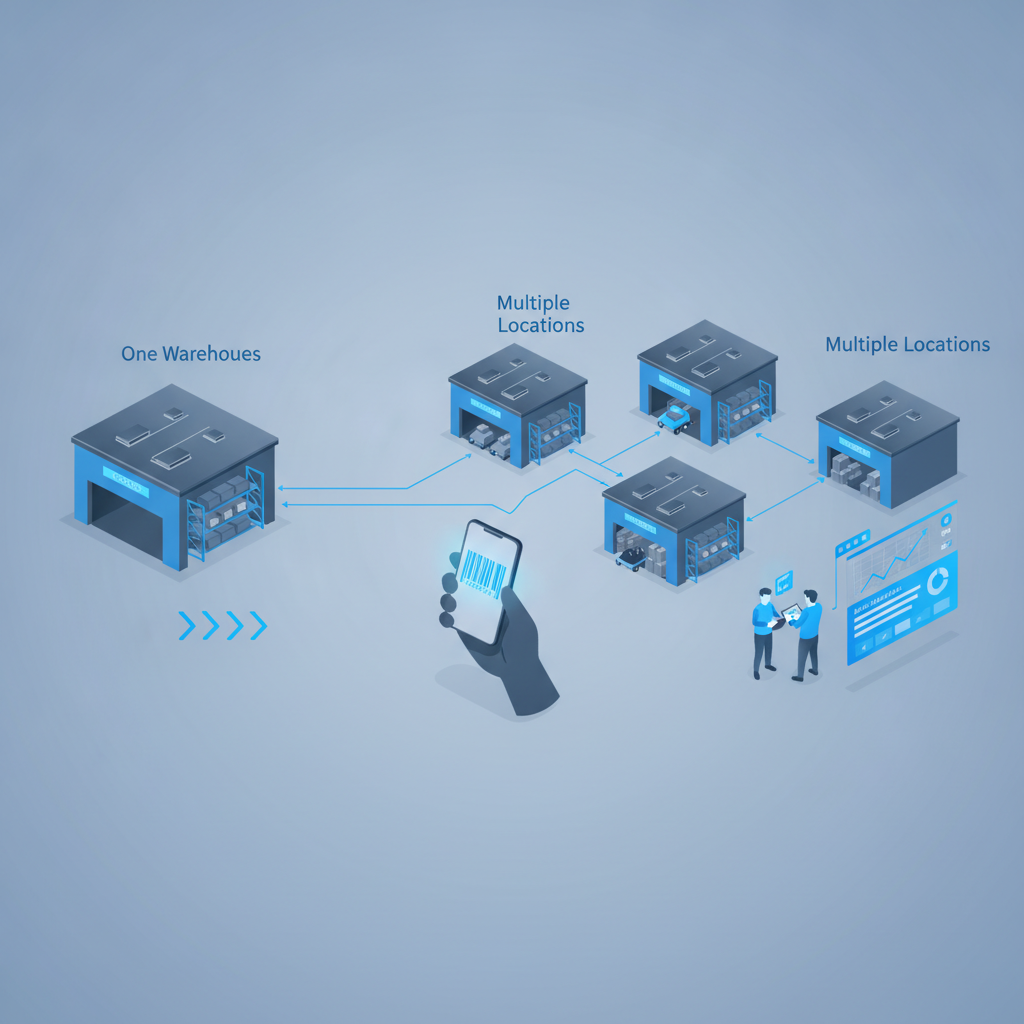
Scaling to multiple warehouse locations means extending your receiving, putaway, inventory, and order fulfillment processes from a single site to two or more sites that share one view of stock, orders, and history. Shipider supports this by running multi-site inventory on one platform, so every location uses the same maker-checker verification and the same audit trail instead of a patchwork of spreadsheets or disconnected logins per site.
Growing from one warehouse to several sounds like simple arithmetic: double the space, double the throughput. In practice it rarely works that way. A process that was "fine" at one site because one manager could walk the floor and catch problems by eye breaks the moment you add a second building, a second shift, or a second time zone. This playbook walks through the signs that you're ready, the order in which things usually break, and what to put in place before you sign a lease on location number two.
Signs you're ready to add a second location
Most operators don't plan the jump to multi-site, they get pushed into it. The usual triggers are a big customer asking for regional delivery speed, a single building hitting its storage ceiling, or a 3PL landing a client whose freight lane makes more sense out of a different city. If any of the following sound familiar, you're closer to multi-site than you think:
- You're already renting overflow space off-site and tracking it in a separate spreadsheet.
- Customers in one region are complaining about transit time, and the fix is a second fulfillment point, not a faster carrier.
- Your single warehouse is running past a comfortable utilization rate and slotting changes aren't buying you enough room anymore.
- A new client or product line genuinely needs separate stock pools (different temperature control, different compliance rules, or a different customer base entirely).
None of these are wrong reasons to expand. The risk isn't the decision to open a second site, it's doing it with the same tools that were already straining at one.
What breaks first when you add a second site
Inventory visibility is usually the first casualty. At one warehouse, "where is this SKU" has one answer. At two, it has two answers, and if your system of record is a spreadsheet or a tool that wasn't built for multiple sites, someone ends up calling the other building to ask. That delay shows up as late picks, duplicate reorders, and promises to customers that the wrong site can't keep.
Accountability is the second thing to slip. With one site and a small team, you generally know who touched what. Add a second location, maybe a second shift, maybe a new hire who's never met the original team, and "who received this pallet" or "who approved this shipment" stops being obvious. Without a real audit trail tied to every scan and every order, disputes with customers and carriers turn into guesswork.
The third failure point is onboarding speed. If setting up your original warehouse took weeks of manual location mapping and spreadsheet cleanup, setting up a second one the same way doubles that cost and delays your go-live, right when you need the new site generating revenue.
The playbook: a step-by-step approach
Step 1: Separate your data model from your physical footprint before you expand
Before you open a second building, make sure your inventory records are already structured as warehouse locations and bins, not just SKU totals. If your current system tracks "120 units of SKU-4521" with no location detail, adding a second site means you'll be guessing at both. A location-and-bin structure at one site transfers cleanly to a second: same structure, different site tag.
Step 2: Decide what stays local and what stays shared
Some data should be site-specific (physical bin layout, dock schedules, local staff permissions). Some data has to be shared across sites in real time (total available stock per SKU, order status, customer history). Map this out explicitly rather than discovering it mid-rollout. A WMS with multi-site inventory built in handles this split natively; a system bolted together from two separate spreadsheets or two separate tool instances usually doesn't.
Step 3: Standardize receiving and putaway before you need a second process
If receiving at your first site depends on tribal knowledge rather than a documented workflow, a second site will invent its own version of that workflow, and the two will drift apart within a quarter. Lock in a receiving-to-putaway flow, including photo evidence for damaged or disputed pallets, before you replicate it. See our receiving to putaway best-practice flow for the baseline to standardize on.
Step 4: Put a verification step between "picked" and "shipped" at every site
Mis-ships are already expensive at one location. At multiple locations, a mistake at the new site (staffed by people who haven't built the same muscle memory as your original team) is more likely, not less. A maker-checker style second scan before dispatch catches these errors before they leave the building, and it works the same way whether the picker is in your original warehouse or a brand-new one three states away.
Step 5: Choose infrastructure that doesn't require hardware procurement per site
Rolling out barcode scanner guns to a new location means budgeting, shipping, pairing, and replacing hardware as it fails, on top of everything else involved in a new-site launch. In-browser camera scanning that runs on any phone removes that line item entirely: a new site can be scanning inbound pallets on day one using phones staff already carry.
Step 6: Set up reporting that rolls up, not just side-by-side dashboards
You need to see total inventory and order status across all sites at a glance, and you need to be able to drill into one site without exporting data from two systems and reconciling them manually. This matters most for 3PLs managing multiple client accounts across multiple sites, where billing and inventory both need to roll up cleanly by customer and by location.
Single-site vs multi-site: what actually changes
The table below is a quick reference for what tends to shift once you move from one warehouse to several, and what to plan for ahead of time.
| Area | Single warehouse | Multiple locations |
|---|---|---|
| Inventory visibility | One location to check, usually known by memory | Needs a shared, real-time view across sites or picks and reorders go wrong |
| Accountability | Small team, informal tracking often works | Needs a documented audit trail tied to each scan and user, across shifts and buildings |
| Onboarding a new site | N/A | Should be measured in days, not months, especially for 3PLs adding client sites |
| Hardware | One set of scanners to maintain | Hardware cost multiplies per site unless scanning runs on phones already in hand |
| Order routing | All orders go to one place | Needs logic for which site fulfills which order, based on stock and proximity |
| Reporting | One set of numbers | Needs roll-up views plus the ability to isolate one site or client |
Common mistakes operators make when scaling
The most common mistake is treating the second site as a copy-paste of the first without fixing known problems first. If your reorder points were guesswork at one warehouse, they'll be guesswork squared at two, because now you're buffering for stockouts across sites instead of one. Fix your reorder point and safety stock approach before you multiply the number of locations depending on it.
The second mistake is underestimating how much manual reconciliation a second site adds if your current tool wasn't built for multi-tenant or multi-site use. Spreadsheets can be made to work across two tabs for a while, but every manual step you add is a place where the two sites quietly disagree about stock levels.
The third mistake, specific to 3PLs, is not planning for structural data isolation between client accounts as you add sites. If you're bringing on a new client as part of your expansion, mixing their inventory visibility with another client's, even accidentally, is the kind of mistake that ends contracts. Multi-tenant isolation needs to be built into the platform, not patched on with permissions after the fact. Our guide on onboarding a new 3PL client without adding headcount covers this in more detail.
How Shipider supports scaling to multiple warehouse locations
Shipider runs multi-site inventory as a core feature rather than an add-on, so a second, third, or tenth location shows up in the same dashboard with its own warehouse locations and bins, while totals roll up across the whole operation. Every receive, putaway, pick, and dispatch is logged on a real audit trail, so when something goes wrong at a new site you can trace exactly who did what and when, the same way you can at your original building.
Because scanning runs in the browser on any phone, a new site doesn't need a hardware order before it can go live, which matters when you're trying to get a new location productive in days rather than months. And for 3PLs, structural multi-tenant isolation means each client's inventory, orders, and reporting stay separated by design as you add both clients and sites, not just by a permissions setting someone has to remember to configure correctly. Pricing is token-based, so adding a site doesn't mean negotiating a new per-seat contract before you've proven the location out. For a closer look at how this applies specifically to 3PL operators, see our 3PL solutions page and the deeper playbook on running a multi-tenant 3PL warehouse.
Frequently asked questions
What is the first thing to fix before scaling to multiple warehouse locations?
Fix your inventory data structure first. If stock isn't tracked by specific warehouse location and bin at your current site, adding a second site will double the confusion instead of doubling capacity. Get location-level tracking right at one site before replicating the process.
Do I need different software for each warehouse location?
No. A WMS built for multi-site inventory, like Shipider, lets every location operate inside one platform with a shared view of stock and orders, while still tracking each site's specific locations, bins, and activity separately.
How long should it take to onboard a new warehouse location?
With a cloud-based WMS and in-browser barcode scanning, a new site can be live and scanning inbound pallets within days, since there's no scanner hardware to procure or pair. Legacy systems that require per-site hardware rollouts or custom integration work typically take longer.
How does maker-checker verification work across multiple sites?
The same two-step verification applies at every location: one person performs an action like a pick or dispatch, and a second scan or approval confirms it before the order moves forward. This keeps accountability consistent across sites and shifts, instead of relying on informal oversight that only worked because one manager could watch a single floor.
Is scaling to multiple locations different for a 3PL versus an e-commerce brand?
The core steps are similar, but 3PLs need structural multi-tenant isolation so that each client's inventory and reporting stay separate as sites are added, while an e-commerce brand scaling its own fulfillment mainly needs accurate roll-up reporting and order routing logic across its own sites. Our e-commerce solutions page covers the brand-side version of this in more depth.
If you're planning a second location or bringing on a new site for a 3PL client, create a free Shipider account and set up your next warehouse location without a hardware order or a six-month rollout.