
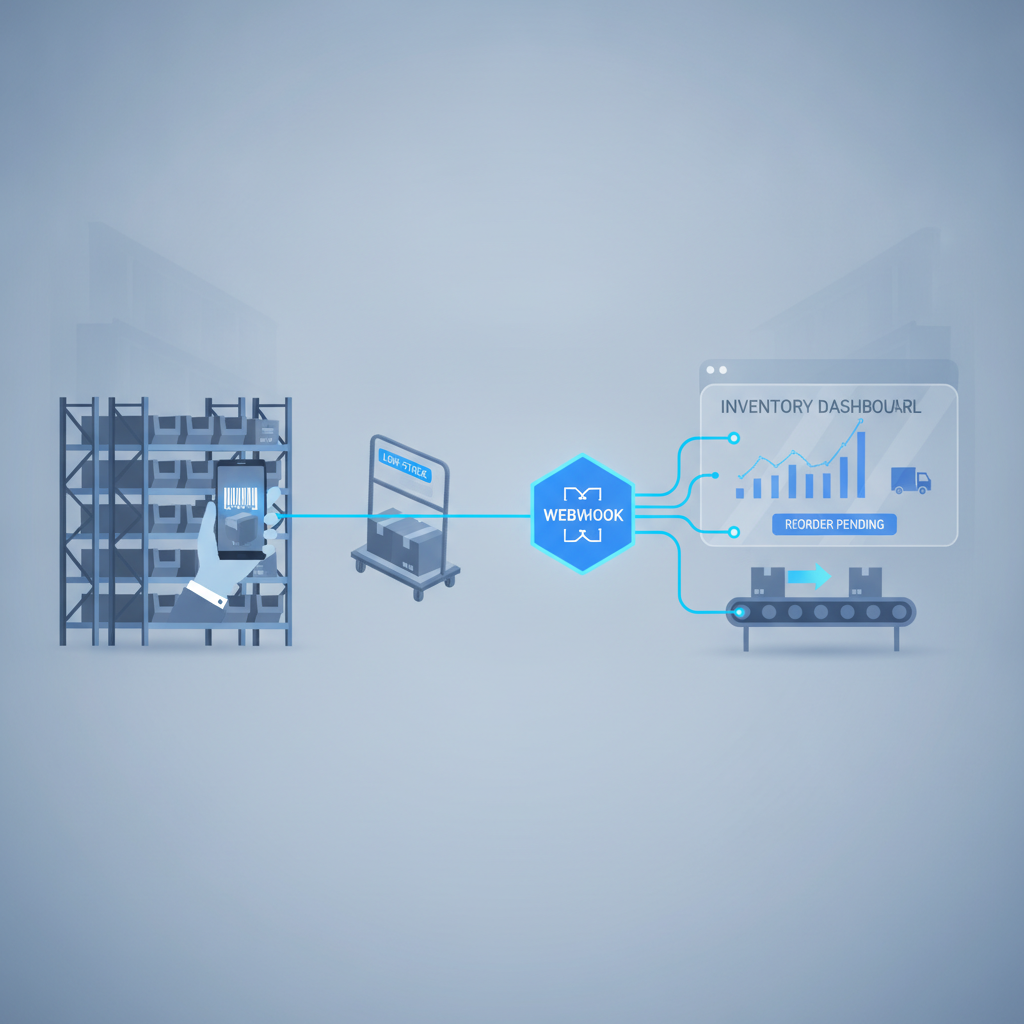
Reorder alert automation webhooks are event-driven notifications that fire the instant a SKU's on-hand quantity crosses a reorder threshold, pushing the alert straight to Slack, email, or a purchasing system instead of waiting for someone to run a report. In Shipider, every pick, putaway, and transfer updates inventory in real time, so a webhook tied to stock levels can notify the right person within seconds of the triggering scan, with the full audit trail showing exactly which transaction caused it.
Why checking stock levels by hand always falls behind
Most small warehouses handle low stock the same way for years: someone opens a spreadsheet or a report once a day, scans for red numbers, and emails purchasing. It works until it does not. Orders spike, a popular SKU gets picked down overnight, and nobody notices until a customer order can't be fulfilled.
The problem isn't effort. It's timing. A daily or even twice-daily check is a snapshot, and inventory doesn't move in snapshots. It moves continuously, one pick, one shipment, one damaged-unit write-off at a time. By the time a manual check catches a shortage, you've often already lost the lead time you needed to reorder without a stockout.
This is a different problem from setting the right reorder point in the first place. If you haven't nailed down your reorder math yet, reorder points and safety stock basics is the place to start. This article assumes you already know your thresholds and covers how to get notified the moment reality crosses them.
How webhook-triggered reorder alerts actually work
A webhook is a small HTTP callback: when something happens inside Shipider, the system sends a message to a URL you specify, with no polling required on your end. You don't ask Shipider "has anything changed?" every few minutes. Shipider tells you the moment it does.
For reorder alerts, the trigger is usually a stock-level event: a SKU's available quantity at a given warehouse location drops to or below its defined reorder point. The webhook payload carries the SKU, the location, the quantity on hand, and a timestamp, enough for a receiving system or a Slack bot to act on without a follow-up lookup.
Events worth wiring up
Not every inventory movement deserves its own alert. The events that matter most for reorder automation are the ones that change whether you need to act:
- Available quantity crosses the reorder threshold for a SKU at a specific warehouse location
- A pallet or lot is fully depleted at a site that still has open orders against it
- Quantity drops below safety stock after a cycle count adjustment, not just after a sale
- A SKU hits zero at one site while other sites in a multi-site network still carry stock, which is a transfer opportunity, not necessarily a purchase order
Where the alert should land
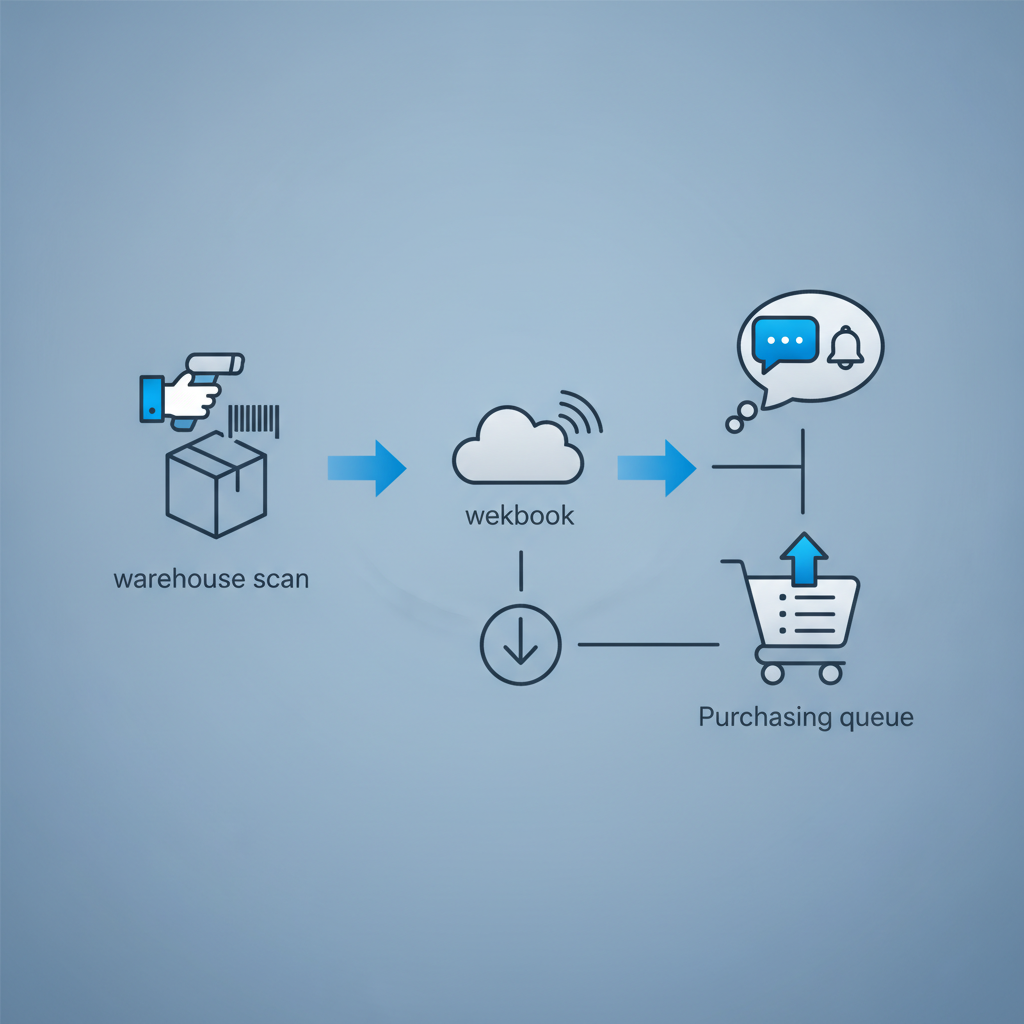
A webhook is only useful if it reaches someone who can act. Three destinations cover most small warehouses and 3PLs:
- Chat tools: a webhook posts into a Slack or Teams channel so purchasing sees it in the flow of their normal workday
- Email or SMS gateways: useful for after-hours coverage or for teams without a dedicated chat channel
- Purchasing or ERP systems: the webhook can feed directly into a reorder queue, which is where automating purchase order receiving with API triggers picks up the thread once a PO is actually cut
Setting it up without an engineering sprint
You don't need a dedicated developer team to get a working alert in place. The general sequence looks like this:
- Confirm reorder points are set correctly per SKU and per location in Shipider, since the webhook only fires off thresholds that already exist
- Generate a scoped API key limited to read access on inventory events, following the same principle covered in scoped API keys for warehouse integrations, so the connection can't touch anything beyond what it needs
- Register a webhook endpoint, which can be as simple as a Slack incoming webhook URL or a lightweight serverless function that forwards the payload
- Test with a controlled scenario: pick a low-volume SKU down to its threshold and confirm the alert arrives with the right details
- Roll out site by site if you run multiple warehouses, since thresholds and urgency can differ by location
For the broader picture of connecting Shipider into chat, ERP, or a custom dashboard, the warehouse webhooks and API guide walks through the full event catalog and authentication model.
Webhooks vs polling: why the difference matters for reorder timing
Some teams try to solve this with scheduled API polling instead, a script that checks inventory levels every few minutes. It works, but it trades timeliness and efficiency for simplicity in the wrong direction.
| Factor | Webhook (event-driven) | Polling (scheduled check) |
|---|---|---|
| Alert latency | Seconds after the triggering scan | As slow as your polling interval, often 5 to 60 minutes |
| API load | Only fires when something actually changes | Constant requests, most returning no new information |
| Setup complexity | One endpoint to register, event-based logic | A scheduler plus comparison logic to detect changes |
| Multi-site awareness | Each event carries the specific location, easy to route | Requires pulling and diffing data per site on every cycle |
| Best fit | Time-sensitive alerts like low stock or stockouts | Periodic reporting where a lag of an hour or more is fine |
For reorder alerts specifically, the gap matters. A webhook tells purchasing within seconds that a SKU just crossed its threshold. A poll running every 30 minutes might mean a quarter of the day's lead time is already gone before anyone sees the number.
Keeping alerts useful instead of noisy
The fastest way to kill a reorder alert system is to let it cry wolf. A few guardrails keep signal-to-noise high:
- Set thresholds per SKU velocity, not a flat number. A fast-moving SKU needs a higher reorder point than a slow one, otherwise either the fast mover alerts too late or the slow mover alerts constantly.
- Debounce repeat alerts. Once a SKU has triggered an alert, suppress duplicate pings for that same SKU and location until a replenishment event resets the state.
- Separate site-level stockouts from network-level stockouts. If a SKU is low at one location but well-stocked at another under multi-site inventory, that's a transfer decision, not necessarily a new purchase order, and the alert routing should reflect that distinction.
- Route by urgency, not by convenience. Critical SKUs with long supplier lead times deserve a different channel (SMS, a dedicated Slack channel) than slow-moving items that can wait for a daily digest.

Why the audit trail still matters once alerts go automatic
Automating the notification doesn't mean losing visibility into who acted on it. Every inventory movement in Shipider, the pick that dropped a SKU below threshold, the transfer that replenished it, the receipt that closed the loop, is logged on a real audit trail. That matters for two reasons.
First, when a reorder alert turns out to be wrong (a miscount, a mis-scanned pallet), you can trace back to the exact transaction that triggered it instead of guessing. Second, for 3PLs running multiple client inventories under one roof, structural multi-tenant isolation means a webhook fired for one client's low stock never leaks data about another client's inventory position, even though both run through the same warehouse floor. If you're setting up automated alerts across client accounts, the patterns in running a multi-tenant 3PL operation are worth reviewing alongside this setup.
Reorder decisions themselves can still run through a two-step maker-checker review if you want a second set of eyes before a purchase order gets cut, pairing the speed of automated detection with a deliberate approval step for larger spend.
Frequently asked questions
What is a reorder alert webhook?
A reorder alert webhook is an automated HTTP notification sent the moment a SKU's available inventory drops to or below its defined reorder point, carrying the SKU, location, and quantity so a receiving system or chat tool can act without a manual lookup.
Do I need a developer to set up low-stock webhooks?
Basic setups, like posting an alert into a Slack channel, usually need only a scoped API key and a webhook URL, which most operations teams can configure without writing custom code. More complex routing into an ERP or custom purchasing queue typically benefits from light developer involvement.
How is a webhook different from checking a low-stock report?
A report is a snapshot you have to go look at, so it's only as current as the last time someone opened it. A webhook pushes the alert to you automatically within seconds of the inventory event, which closes the gap between a stock level crossing its threshold and someone actually finding out.
Can reorder alerts work across multiple warehouse locations?
Yes. Each webhook event carries the specific location where the stock level changed, so alerts can be routed differently for low stock at one site versus a network-wide shortage, and multi-site inventory visibility means you can check whether a transfer solves the problem before cutting a new purchase order.
Does automating alerts replace the need to set reorder points correctly?
No. The webhook only fires off the threshold you've already defined, so if reorder points and safety stock levels are wrong, the alert will simply be wrong faster. Getting the underlying math right still comes first.
Ready to stop checking spreadsheets for low stock? Create a free Shipider account and wire up your first reorder webhook today.
Related reading: Giving 3PL Clients Real-Time Inventory Visibility Through the API
Related reading: Voice Picking vs Barcode Scanning: Which Fits a Small Warehouse