
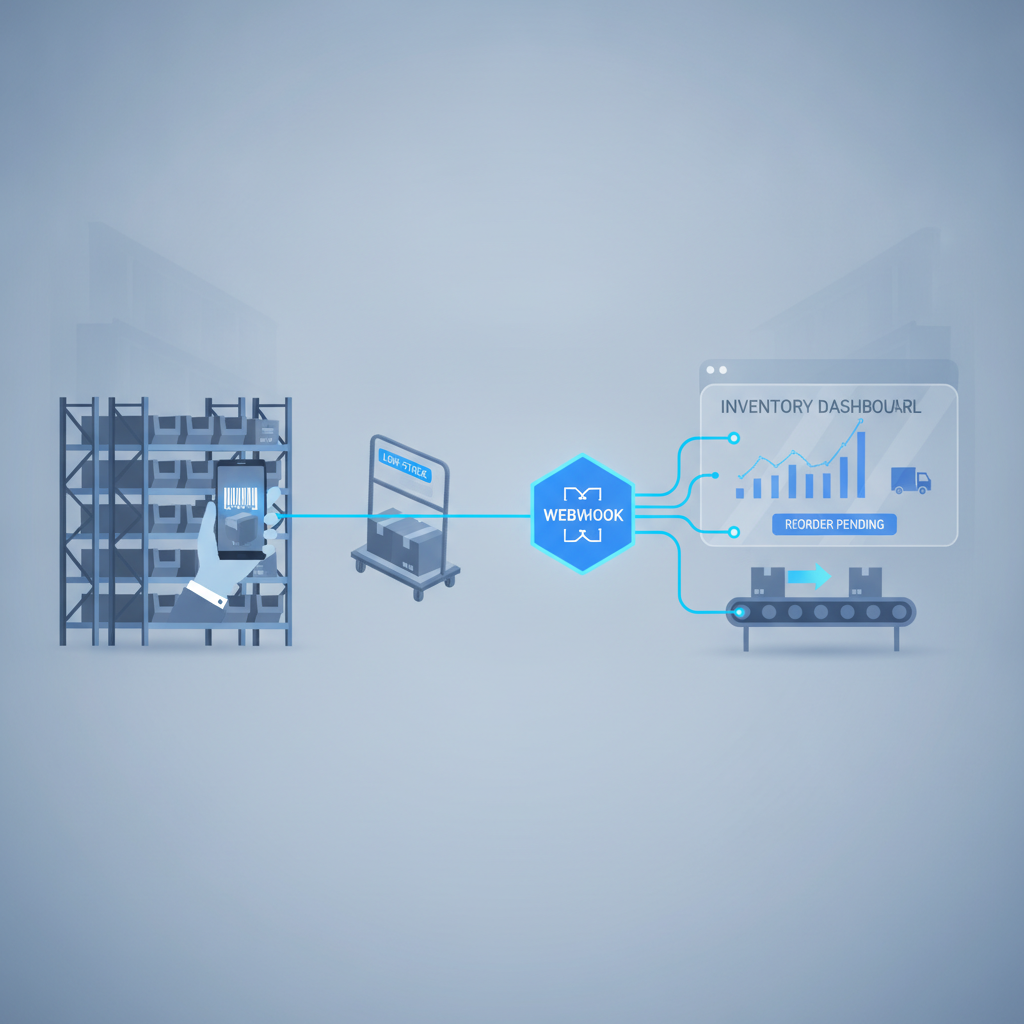
Reorder alert automation is a small integration that checks a SKU's on-hand quantity against a reorder threshold and pushes an alert to Slack, email, or a purchasing system as soon as stock crosses it, instead of waiting for someone to run a report. Shipider does not have built-in reorder points or stock-level webhooks, but its order webhooks (order.processed, order.shipped, and others) and its REST API for SKU and pallet data give you the two pieces you need: a trigger when stock is likely to have dropped, and a way to read the current quantity so your own script can decide whether to alert.
Why checking stock levels by hand always falls behind
Most small warehouses handle low stock the same way for years: someone opens a spreadsheet or a report once a day, scans for red numbers, and emails purchasing. It works until it does not. Orders spike, a popular SKU gets picked down overnight, and nobody notices until a customer order can't be fulfilled.
The problem isn't effort. It's timing. A daily or even twice-daily check is a snapshot, and inventory doesn't move in snapshots. It moves continuously, one pick, one shipment, one damaged-unit write-off at a time. By the time a manual check catches a shortage, you've often already lost the lead time you needed to reorder without a stockout.
This is a different problem from setting the right reorder point in the first place. If you haven't nailed down your reorder math yet, reorder points and safety stock basics is the place to start. This article assumes you already know your thresholds and covers how to get notified soon after reality crosses them.
How webhook-triggered reorder alerts actually work
A webhook is a small HTTP callback: when something happens inside Shipider, the system sends a message to a URL you specify. You don't ask Shipider "has anything changed?" every few minutes for that event. Shipider tells you when it happens.
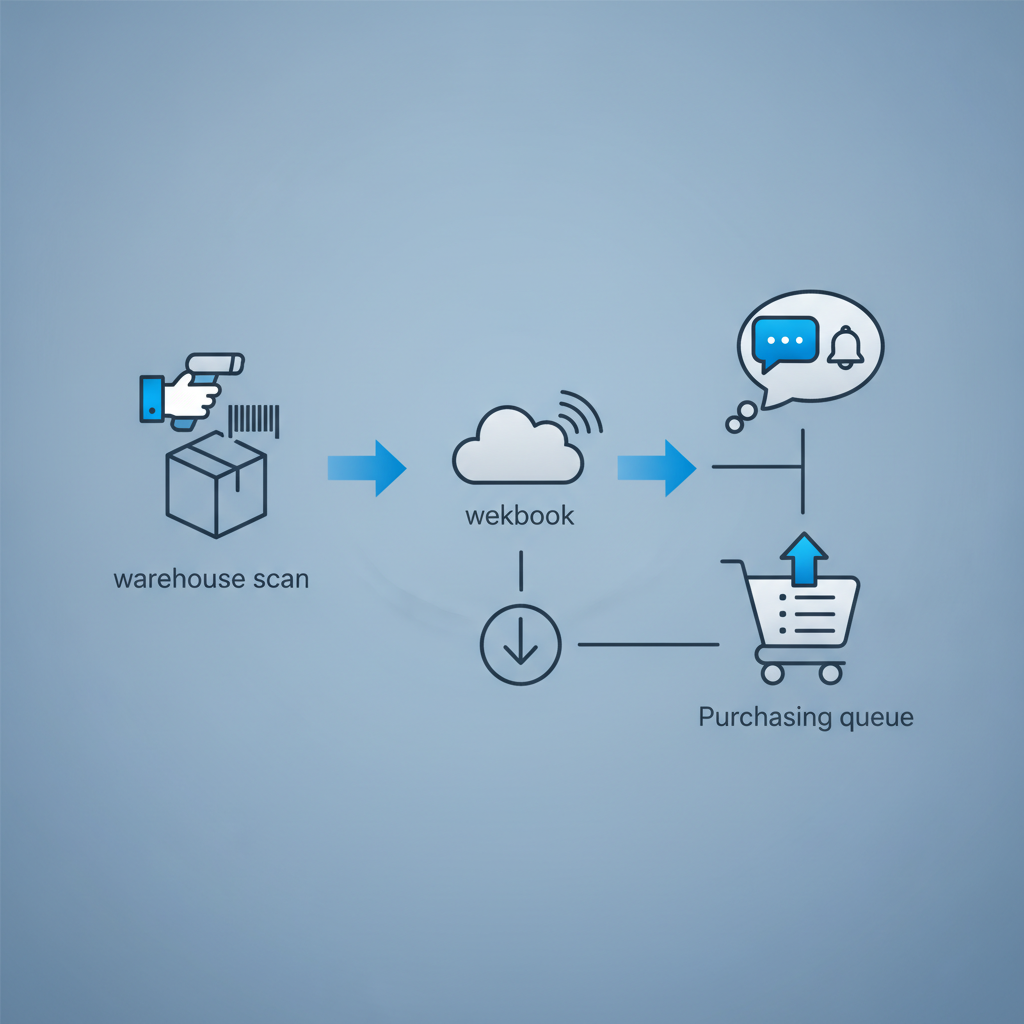
Shipider's webhooks cover order events: order.created, order.processed, order.confirmed, order.shipped, and order.cancelled. There is no stock-level or low-stock event, so the reorder logic lives on your side. The common pattern is: when an outbound order is processed or shipped, your endpoint receives the event, reads the order's SKUs and their current pallet quantities through the REST API, compares each against the reorder threshold you keep (in a sheet, a small database, or the script itself), and sends an alert if any SKU is at or below it. The alert you send can carry the SKU, the warehouse, the quantity on hand, and a timestamp, enough for a purchasing system or a Slack bot to act on.
Events worth wiring up
Not every inventory movement deserves its own alert. The situations that matter most for reorder automation are the ones that change whether you need to act:
- Available quantity crosses the reorder threshold for a SKU at a specific warehouse, usually detected after an order.processed or order.shipped event
- A SKU's last pallet at a site is depleted while open orders still need it
- Quantity drops below safety stock after a count adjustment, not just after a sale; adjustments do not fire webhooks, so a scheduled API check catches these
- A SKU hits zero at one site while other sites in a multi-site network still carry stock, which is a transfer opportunity, not necessarily a purchase order
Where the alert should land
An alert is only useful if it reaches someone who can act. Three destinations cover most small warehouses and 3PLs:
- Chat tools: your script posts into a Slack or Teams channel so purchasing sees it in the flow of their normal workday
- Email or SMS gateways: useful for after-hours coverage or for teams without a dedicated chat channel
- Purchasing or ERP systems: the alert can feed directly into a reorder queue, which is where automating purchase order receiving with API triggers picks up the thread once a PO is actually cut
Setting it up without an engineering sprint
You don't need a dedicated developer team to get a working alert in place, but you do need a small piece of code, because the threshold check runs outside Shipider. The general sequence looks like this:
- Write down reorder points per SKU and per warehouse in the place your script will read them from, since Shipider does not store reorder thresholds
- Generate a scoped API key limited to read access on the SKU and pallet endpoints, following the same principle covered in scoped API keys for warehouse integrations, so the connection can't touch anything beyond what it needs
- Deploy a lightweight endpoint, such as a serverless function, register it for the order.processed or order.shipped webhook, and have it look up stock for the SKUs on each order and compare against your thresholds
- Add a scheduled check (for example, hourly) that reads SKU and pallet data through the API, to catch drops that do not come from orders, such as adjustments or removals
- Test with a controlled scenario: ship a low-volume SKU down to its threshold and confirm the alert arrives with the right details, then roll out site by site if you run multiple warehouses, since thresholds and urgency can differ by location
For the broader picture of connecting Shipider into chat, ERP, or a custom dashboard, the warehouse webhooks and API guide walks through the event catalog and authentication model.
Webhook triggers vs polling: why the difference matters for reorder timing
Some teams solve this with scheduled API polling alone, a script that checks inventory levels every few minutes. It works, but on its own it trades timeliness and efficiency for simplicity. Combining an order-webhook trigger with a slower scheduled check usually gives the best of both.
| Factor | Order webhook trigger plus API lookup | Polling (scheduled check) |
|---|---|---|
| Alert latency | Shortly after the order is processed or shipped | As slow as your polling interval |
| API load | Only looks up the SKUs on orders that actually moved | Constant requests, most returning no new information |
| Setup complexity | One endpoint to register, plus threshold logic in your script | A scheduler plus comparison logic to detect changes |
| What it misses | Stock changes outside orders, such as adjustments | Nothing, but only as often as it runs |
| Best fit | Time-sensitive alerts on fast-moving SKUs | A safety net for everything else, and periodic reporting |
For reorder alerts specifically, the gap matters. A trigger on each shipped order tells purchasing soon after a SKU crosses its threshold. A poll running only every few hours might mean much of the day's lead time is already gone before anyone sees the number.
Keeping alerts useful instead of noisy
The fastest way to kill a reorder alert system is to let it cry wolf. A few guardrails keep signal-to-noise high:
- Set thresholds per SKU velocity, not a flat number. A fast-moving SKU needs a higher reorder point than a slow one, otherwise either the fast mover alerts too late or the slow mover alerts constantly. Shipider's velocity analytics can help you rank SKUs before you set the numbers.
- Debounce repeat alerts. Once a SKU has triggered an alert, suppress duplicate pings for that same SKU and location until a replenishment (for example, an order.confirmed event on an inbound order) resets the state.
- Separate site-level stockouts from network-level stockouts. If a SKU is low at one location but well-stocked at another, that's a transfer decision, not necessarily a new purchase order, and the alert routing should reflect that distinction.
- Route by urgency, not by convenience. Critical SKUs with long supplier lead times deserve a different channel (SMS, a dedicated Slack channel) than slow-moving items that can wait for a daily digest.

Why the audit trail still matters once alerts go automatic
Automating the notification doesn't mean losing visibility into what caused it. In Shipider, the order that dropped a SKU below threshold, the inbound that replenished it, and any adjustment in between are all recorded, as orders with their processing and confirmation steps, as stock movements, and as pallet location history. That matters for two reasons.
First, when a reorder alert turns out to be wrong (a miscount, a mis-scanned pallet), you can trace back to the transaction behind it instead of guessing. Second, for 3PLs running multiple client inventories under one roof, every SKU belongs to a customer record, so your script can route each alert to the right client's purchasing contact and avoid sharing one client's inventory position with another. Because API keys and webhooks belong to your company account rather than to one client, that filtering is your script's job. If you're setting up automated alerts across client accounts, the patterns in running a multi-tenant 3PL operation are worth reviewing alongside this setup.
Reorder decisions themselves can still go through a two-person review in your purchasing process if you want a second set of eyes before a purchase order gets cut, pairing the speed of automated detection with a deliberate approval step for larger spend.
Frequently asked questions
What is a reorder alert webhook?
It is an automated notification sent when a SKU's available inventory drops to or below its reorder point, carrying the SKU, location, and quantity so a purchasing system or chat tool can act without a manual lookup. With Shipider, the alert is sent by your own script, triggered by Shipider's order webhooks and fed by its REST API, since Shipider does not fire stock-level webhooks itself.
Do I need a developer to set up low-stock alerts?
Some light development, yes. Because the threshold check runs outside Shipider, you need a small script or serverless function that receives order webhooks, reads stock through a scoped API key, and posts to Slack or email. Teams comfortable with no-code automation tools that accept webhooks and make HTTP requests can often build it without custom code; routing into an ERP or custom purchasing queue typically benefits from developer involvement.
How is an automated alert different from checking a low-stock report?
A report is a snapshot you have to go look at, so it's only as current as the last time someone opened it. An automated alert pushes the information to you soon after the inventory event, which closes the gap between a stock level crossing its threshold and someone actually finding out.
Can reorder alerts work across multiple warehouse locations?
Yes. Shipider tracks stock per warehouse and location, so your script can check each site separately and route alerts differently for low stock at one site versus a network-wide shortage, and check whether a transfer solves the problem before cutting a new purchase order.
Does automating alerts replace the need to set reorder points correctly?
No. The alert only fires off the threshold you've defined, so if reorder points and safety stock levels are wrong, the alert will simply be wrong faster. Getting the underlying math right still comes first.
Ready to stop checking spreadsheets for low stock? Create a free Shipider account, generate a read-only API key, and connect your first order webhook to a low-stock check today.
Related reading: Giving 3PL Clients Real-Time Inventory Visibility Through the API
Related reading: Voice Picking vs Barcode Scanning: Which Fits a Small Warehouse