
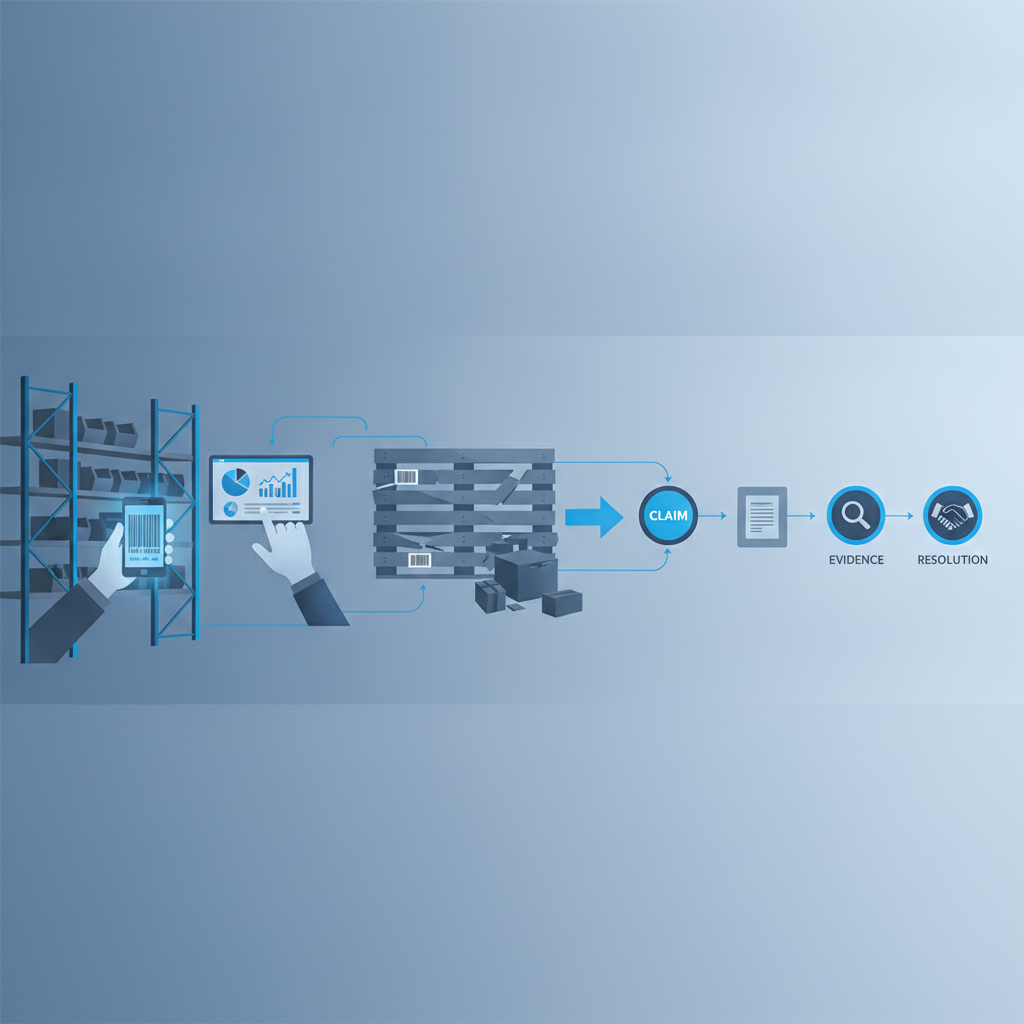
A damaged pallet dispute workflow is the set of steps a warehouse follows to log a damage claim, pull the evidence tied to that pallet, and reach a resolution with the carrier, customer, or supplier without relying on memory or guesswork. In Shipider, that evidence comes from the same scans and photos already captured during receiving, putaway, and dispatch, so the dispute workflow is really just a structured way of pulling records that already exist on the audit trail.
Why damaged pallet disputes drag on
Most damage disputes are not arguments about whether damage happened. They are arguments about when it happened and who had custody at that point. A pallet leaves your dock in good condition, arrives at a customer's dock with a crushed corner, and now three parties (you, the carrier, the receiving customer) each have an incentive to place the damage somewhere else in the chain.
Without a timestamped record, this turns into a slow back-and-forth of emails and phone calls. Someone has to remember which shift loaded that pallet. Someone has to check if a photo exists anywhere. Often nobody wins the argument on facts, so the claim gets settled on relationship goodwill or simply written off. That is expensive in a small way every time, and expensive in a big way when it happens often enough to affect margin.
The fix is not a better argument. It is a workflow that produces the same kind of evidence every time, tied to the pallet, so the dispute resolves on record rather than recollection.
The claim-to-resolution workflow
Below is the sequence we recommend for handling a damaged pallet dispute inside Shipider, from the moment a claim lands to the moment it is closed.
1. Log the claim against the pallet ID
Every pallet in Shipider carries a unique ID from the moment it is received or built during putaway. When a damage claim comes in, whether it is from a carrier, a customer, or an internal QA check, the first step is tying that claim to the specific pallet ID, not just a PO number or order number. This matters because a single order can span multiple pallets, and you need the dispute pointed at the exact unit in question.
2. Pull the movement and scan history
Once the pallet ID is identified, pull its full movement history: the warehouse location it sat in, every scan event from receiving through dispatch, and who performed each scan. This is the same record used for finding the root cause of SKU discrepancies, applied here to a condition dispute instead of a quantity dispute.
3. Retrieve the photo and signature evidence
If your team is capturing photos at receiving and at dispatch (recommended for any pallet leaving the building), those photos are attached to the pallet record with timestamps. Pull the dispatch photo first. If it shows the pallet in good condition at the moment it left your dock, the damage clock starts after that point, and the dispute shifts toward the carrier or downstream handling. This is the same evidence model covered in why every pallet should ship with proof.
4. Compare timestamps against custody transfer
Line up your dispatch timestamp against the carrier's pickup or delivery timestamp. If the gap between your last recorded photo and the carrier's custody transfer is short and the pallet was in good shape at that point, you have a defensible position. If the gap is long, or your own scan record shows the pallet sitting in a staging location for an extended period, that is useful too, because it tells you where to look for an internal cause instead.
5. Document the resolution on the record
Whatever the outcome (credit issued, claim rejected, cost shared), log the resolution against the pallet's audit trail entry. This closes the loop and means the next time a claim touches that customer, carrier, or SKU, you have a documented precedent rather than starting from zero.

Workflow with evidence vs. workflow without it
The difference between these two workflows is not dramatic on paper, but it shows up in how long a dispute stays open and how confident you are in the outcome.
| Step | Without an evidence trail | With Shipider's audit trail |
|---|---|---|
| Claim intake | Claim tied to order number only | Claim tied to exact pallet ID |
| Finding the pallet's history | Ask staff to recall shift and handler | Pull scan history in seconds |
| Proving condition at dispatch | No photo, rely on memory | Timestamped photo attached to pallet record |
| Identifying custody at time of damage | Guesswork between warehouse and carrier | Compare timestamps against carrier pickup record |
| Closing the claim | Settled on relationship, no documentation | Resolution logged against the audit trail |
| Repeat disputes with same carrier or customer | Start from zero each time | Documented precedent available for reference |
What evidence actually holds up in a dispute
Not every piece of documentation carries the same weight when a carrier or customer pushes back on a claim. A few things matter more than others:
Timestamped photos beat verbal descriptions. A photo taken at the moment of dispatch, with a timestamp attached to the pallet record, is far harder to argue with than a note claiming the pallet looked fine when it left.
A continuous scan history beats isolated data points. If a pallet has scan events at receiving, putaway, pick, and dispatch, all under one pallet ID, that continuity is what makes the record credible. Gaps in the chain are exactly where disputes get contested.
Second-scan verification adds weight. Shipider's maker-checker step means a second person confirms pallet condition and contents before dispatch, not just the person who built it. That second signature matters when a customer or carrier questions whether the pallet was actually checked before it left. For more on how that verification step works day to day, see the maker-checker workflow post.
Location history rules out internal handling issues. If a pallet sat in a documented warehouse location without movement for the period in question, that is useful evidence that damage did not originate from an internal transfer or a forklift incident on your floor.
Setting this up before you need it
The workflow above only works if the evidence exists when the claim comes in. Retrofitting a dispute process after damage has already happened does not help, because you cannot go back and photograph a pallet that already shipped. A few practical steps make the difference:
Make dispatch photos a standard step for outbound pallets, not an optional one only used for high-value shipments. The camera-based scanning in Shipider runs in the browser on any phone, so there is no separate hardware to issue or charge, which removes the usual excuse for skipping the photo step under time pressure.
Keep pallet IDs consistent from receiving through dispatch rather than rebuilding pallets under new IDs mid-process. Every rebuild is a place where the audit trail loses continuity.
Train staff to treat the second scan (the checker step) as a real inspection point, not a rubber stamp. That is the moment condition issues should get caught before the pallet leaves, and it is also the moment that gets referenced later if a dispute comes in.
If you run a multi-tenant operation with several customers' inventory under one roof, keep each customer's pallet and dispute history properly isolated. Shipider's multi-tenant structure means one customer's claim history and evidence never mixes with another's, which matters when you are handling multiple damage disputes at once across different accounts. This is covered in more depth in our 3PL solutions page.

Common mistakes that weaken a dispute case
A few patterns show up again and again in warehouses that struggle with damage disputes:
Photos exist but are not linked to a specific pallet ID, so nobody can find them quickly when a claim comes in weeks later. Evidence that takes an hour to locate is barely better than no evidence at all when a carrier's claim window is short.
Only high-value pallets get photographed, which means the pallet that actually gets disputed is often the one nobody thought to document. Consistency matters more than selectivity here.
Nobody logs the resolution once a claim is settled, so the same argument repeats from scratch the next time a similar issue comes up with the same carrier or customer.
Condition checks happen, but the record of who did the check and when is not kept, so there is no way to show the pallet was actually inspected before dispatch rather than just moved.
Fixing these usually is not about adding new tools. It is about making sure the ones already in use, receiving scans, putaway location logs, dispatch checks, all feed into one continuous pallet record instead of living in separate systems or nobody's memory.
Frequently asked questions
What is a damaged pallet dispute workflow?
It is the process a warehouse follows to log a damage claim, gather the evidence tied to that specific pallet (scan history, photos, timestamps), and reach a documented resolution with the carrier, customer, or supplier involved.
What evidence is most useful when disputing pallet damage?
Timestamped photos taken at dispatch, a continuous scan history from receiving through dispatch, and a documented second-check (maker-checker) confirmation are the three pieces of evidence that carry the most weight in a dispute.
How does Shipider help with pallet damage disputes?
Shipider attaches photos, scan events, and location history to each pallet's unique ID as it moves through receiving, putaway, and dispatch, and keeps a full audit trail so that evidence can be pulled quickly when a damage claim comes in, rather than reconstructed from memory.
Who should take photos of a pallet before it ships?
Whoever performs the checker step in the maker-checker process should photograph pallet condition before dispatch, since that person is already confirming contents and condition as part of the second-scan verification.
Can a 3PL manage disputes separately for different customers?
Yes. Shipider's multi-tenant structure isolates each customer's pallet records, photos, and dispute history, so a 3PL can handle multiple damage claims across different accounts without evidence from one customer mixing with another's.
If your team is still settling damage claims on memory and goodwill, it is worth building the evidence habit before the next dispute lands. See how Shipider's audit trail supports inventory accuracy and traceability across your whole floor, or create a free account to start capturing pallet evidence today.
Related reading: Inventory Accuracy KPIs Every Warehouse Manager Should Track